
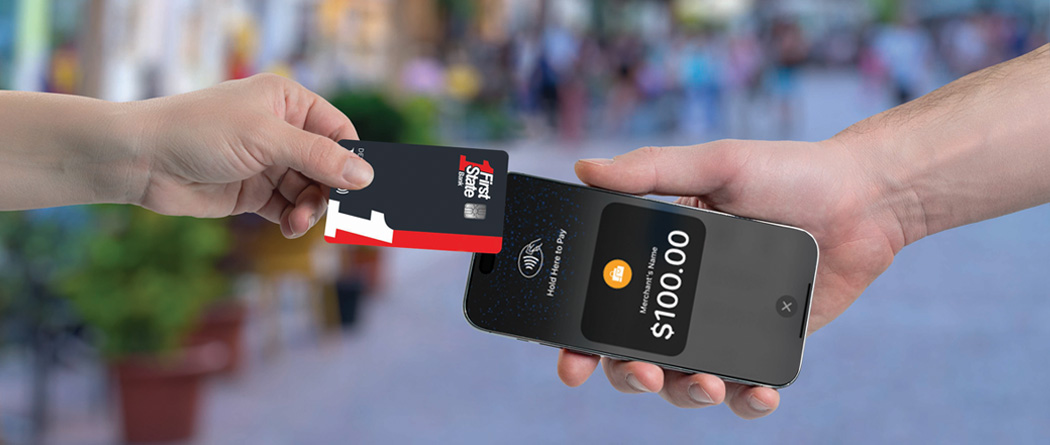
Tap into a new way to get paid. Accept payments anywhere, anytime.
No storefront, no problem. Tap2Local is a secure, hardware-free payment solution built directly into the First State Bank - WI mobile banking app that enables businesses to accept contactless card payments, share payment links, or display QR codes–all from your smartphone. Tap2Local makes collecting payments fast, simple, and professional.
- Perfect for mobile services, pop-ups, contractors, and small retailers
- No terminals, cables, or extra hardware
- Payments deposit directly into your First State Bank business account
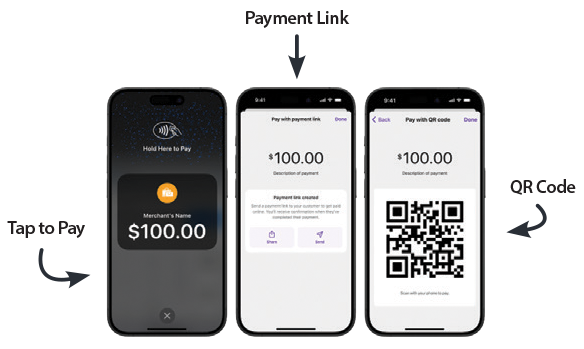
Contactless Payment Options
- Tap to Pay - Accept contactless card payments directly on your phone.
- Share Payment Links - Send secure, professional links via text, email, or social media.
- Show QR Codes - Let customers scan, pay, and go–no waiting, no friction.
To learn more about Tap2Local and our treasury management services, call Anna Flahaut at (715) 303-1042 or email treasurymanagement@bankfirststate.com.
Tap2Local Self-Enrollment
- Open our Mobile Banking App - Log in using your business account credentials.
- Enroll in Tap2Local - Follow the onscreen prompts to activate the service. See the Tap2Local Self-Enrollment Guide for a detailed view of the onscreen prompts.
- Once Approved, Choose Your Payment Method - Tap to pay, generate a QR code, or send a payment link.
- Start Accepting Payments Instantly - Your customers can now pay quickly and securely–right from your phone.
Customer Support
Tap2Local User Guide - Learn how to accept payments, view transactions, send receipts, and create a refund.
- During business hours (8:30 am to 5 pm, Monday through Friday) - Submit a Tap2Local assistance request through your Digital Banking services by creating a new Conversation within Messages or call us at (800) 994-2500.
- For after hours support - call Moov Support at (855) 977-6668 or email help@moov.io.
Fees are established by Moov, an external service provider.